Query Data From Zuora Object
#mulesoft

This tutorial talks about how to query data from Zuora object using Zuora connector.
Prerequisites:
- Installing Zuora connector (by login into Anypoint exchange from studio you can install the Salesforce connector)
- Zuora developer account
- Anypoint Studio
Process
- Create an Mule Applicatio
- If Zuora connecter is already present drag the Query Operation or else add the Zuora Module from Exchange
- Configure the connection details with Zuora API Credentials and use the Basic Username and Password connection (Username, Password).
- Get the details of the Zuora object and configure the listener to trigger the request
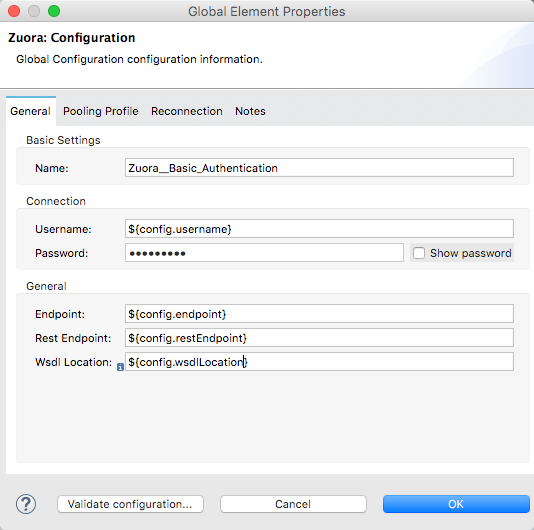
- Provide the Query string to retrieve the records as shown in the picture below
- Deploy / Run the application and trigger the endpoint using postman

About the author
I'm an Integration developer with extensive knowledge on designing, developing & architecture integration solutions using MuleSoft,Workato,Celigo,Talend,Spring,Java
Comments
Join the discussionNo comments yet. Be the first to comment.