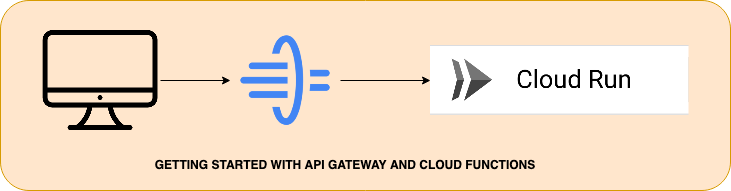
Getting Started With API Gateway and Cloud Functions
Here the steps explain how to deploy the applications to Gcloud API Gateway using Google cloud CLI
Prerequisites:
Google Cloud Account
Installing Google CLI
Sample application to deploy to gcloud
Postman to test
In the Google Cloud console, go to the Dashboard page and select or create a Google Cloud project.
Go to Dashboard Page https://console.cloud.google.com/projectselector2/home/dashboard?_ga=2.124589327.405847725.1691588802-1872602126.1691583025
Select the Project as shown below and click on New Project
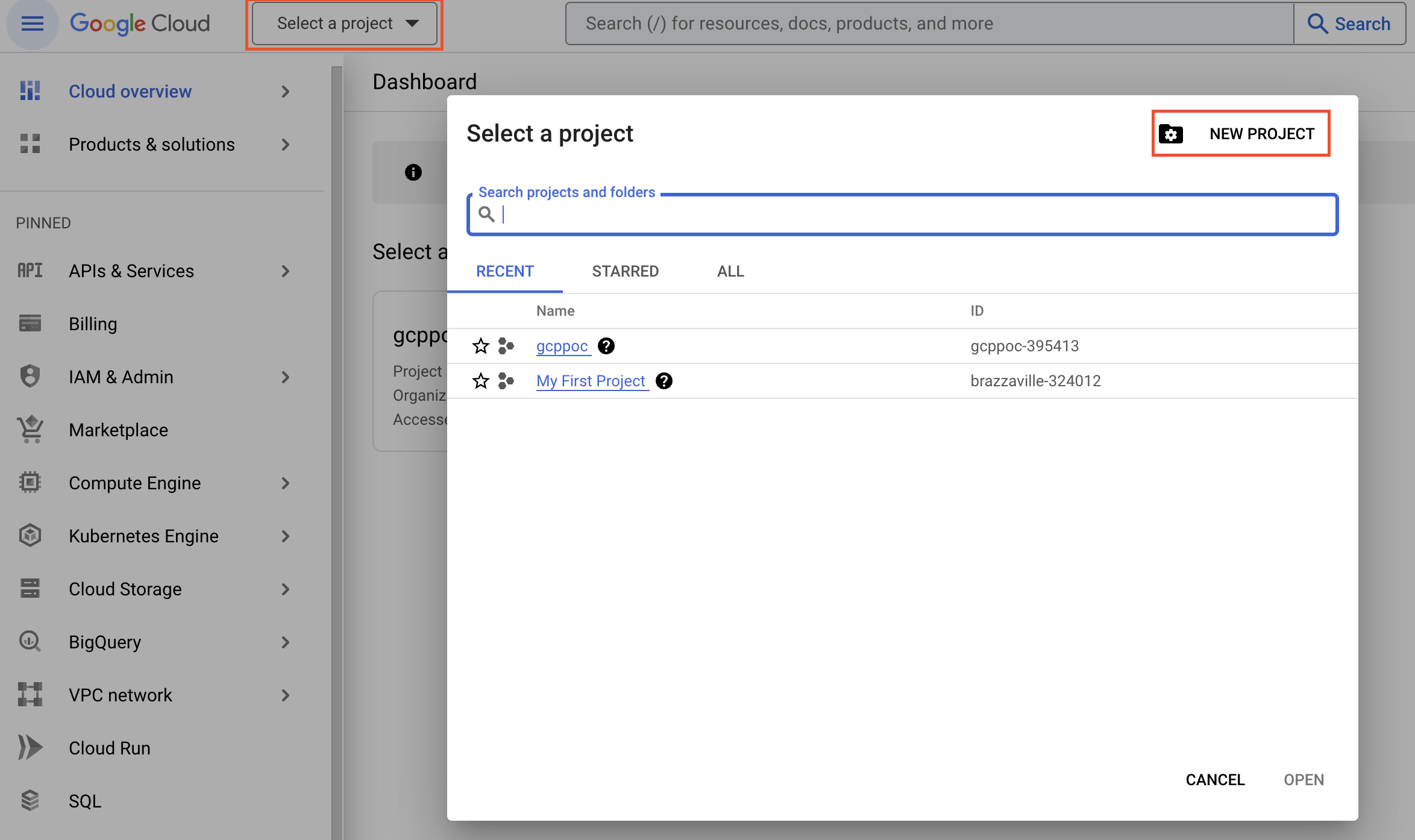
- Name the Project as per Naming standards and click on create.
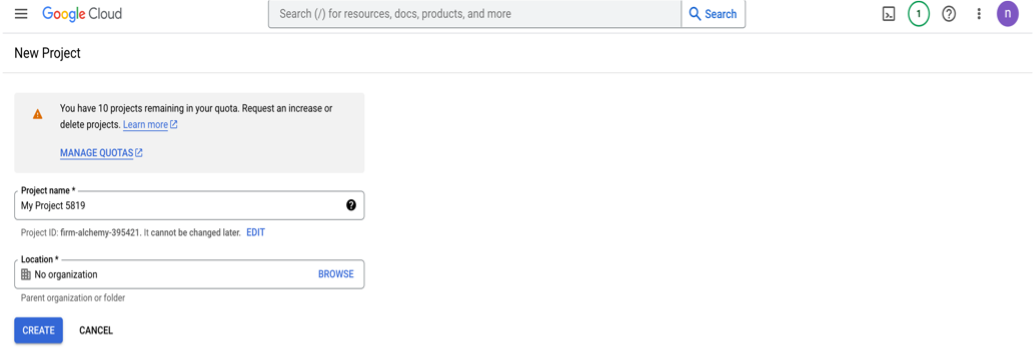
Confirm billing is enabled for your project.
https://cloud.google.com/billing/docs/how-to/modify-project
Using Google Cloud CLI:
- Install Google CLI in Mac using bash.
- command to install CLI using bash
· curl https://sdk.cloud.google.com | bash
For other installation process for Mac or Windows.
- Login to gcloud in CLI
• gcloud auth login
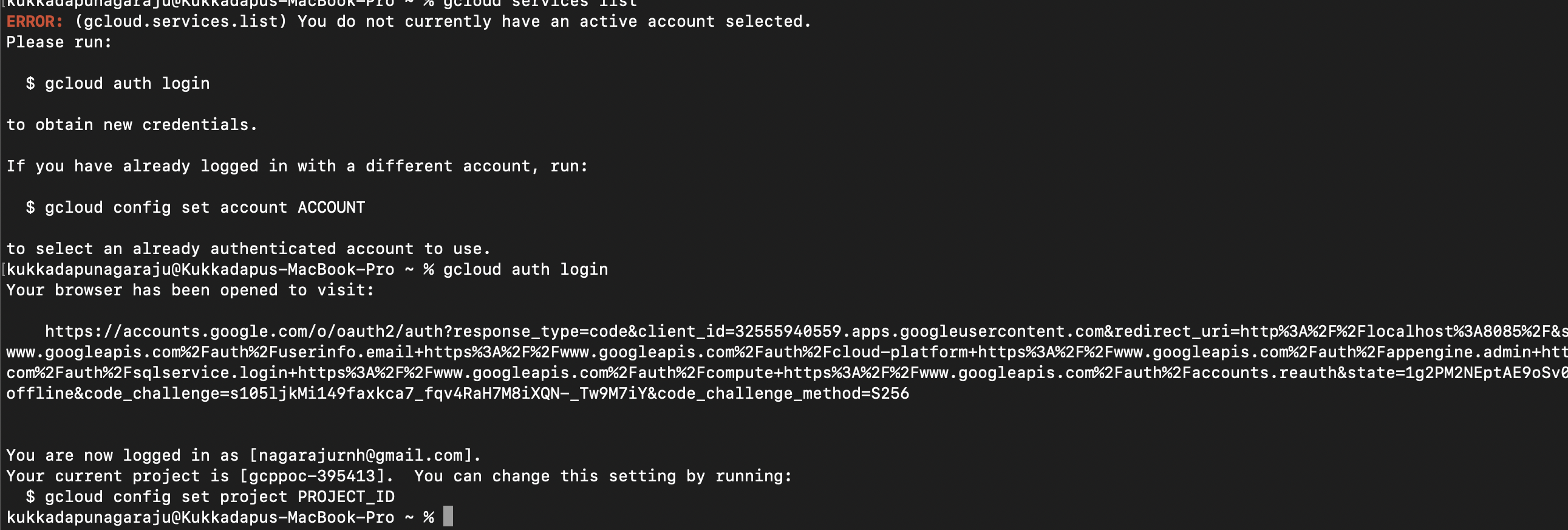
- To set Project Id
· gcloud config set project projectId
- Get the project Id selecting the project and projectId can be found in the URL.

To check if Service List enabled
· gcloud services list- Enabling required services
API Gateway requires that you enable the following Google services:
Name | Title |
API Gateway API | |
Service Management API | |
Service Control API |
- If you do not see the required services listed, enable them:
    - gcloud services enable apigateway.googleapis.com
    - gcloud services enable servicemanagement.googleapis.com
    - gcloud services enable servicecontrol.googleapis.com
- Sample application to deploy to gcloud.
cmd:
gcloud functions deploy java-http-function --gen2 --entry-point com.example.functions.Main --runtime=java11 –-{Region} --source={folderlocation} --trigger-http --allow-unauthenticated
Example:
gcloud functions deploy java-http-function --gen2 --entry-point com.example.functions.Main --runtime=java11 --region=us-east1 --source=/Users/Downloads/gcp-cloud-functions --trigger-http --allow-unauthenticated
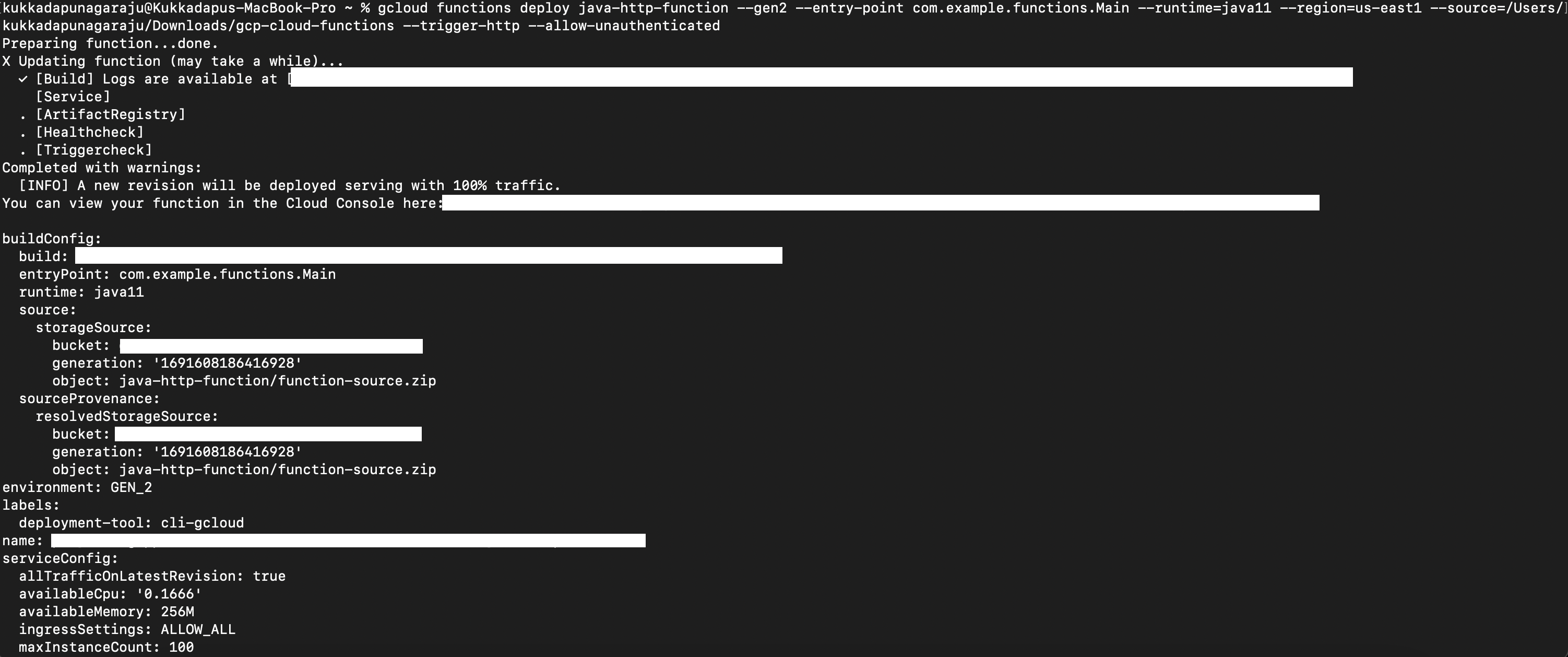
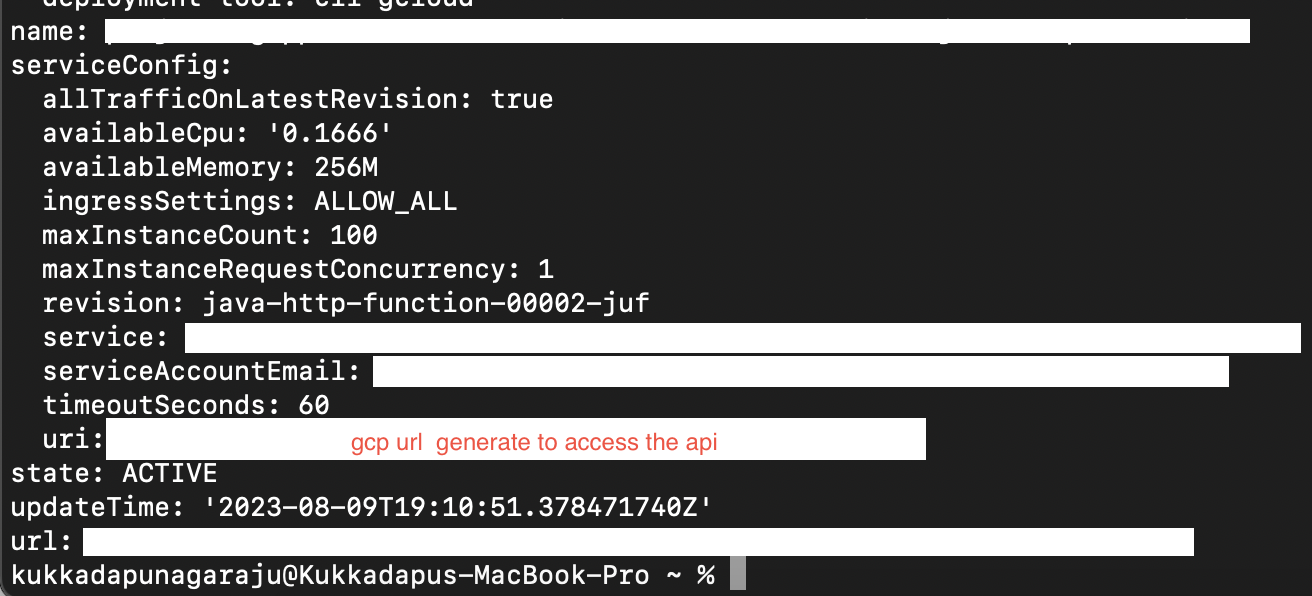
- On Completion of deployment Gcp URL will be generated to call
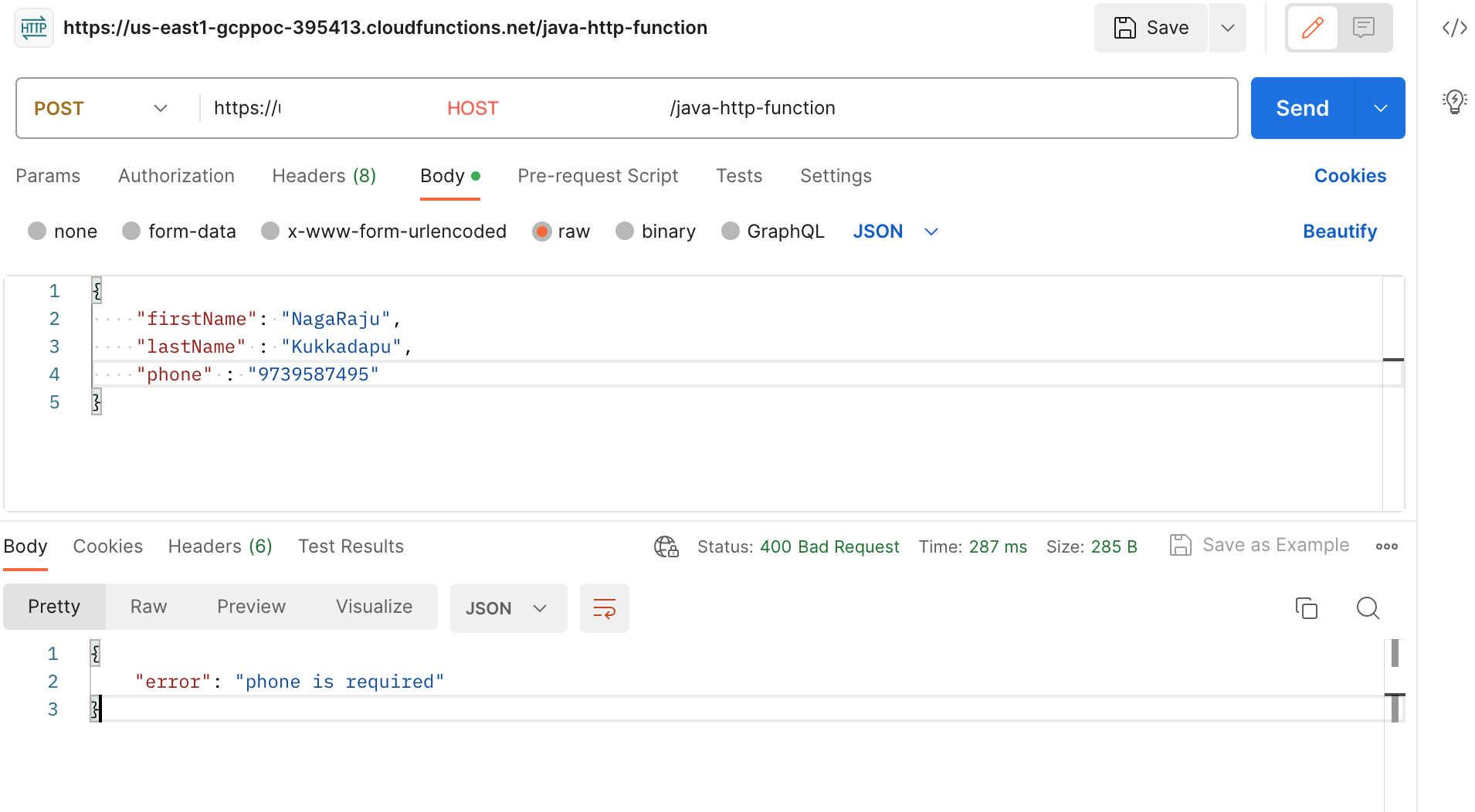
- Test the Endpoint URL with the Input as per your implementation.
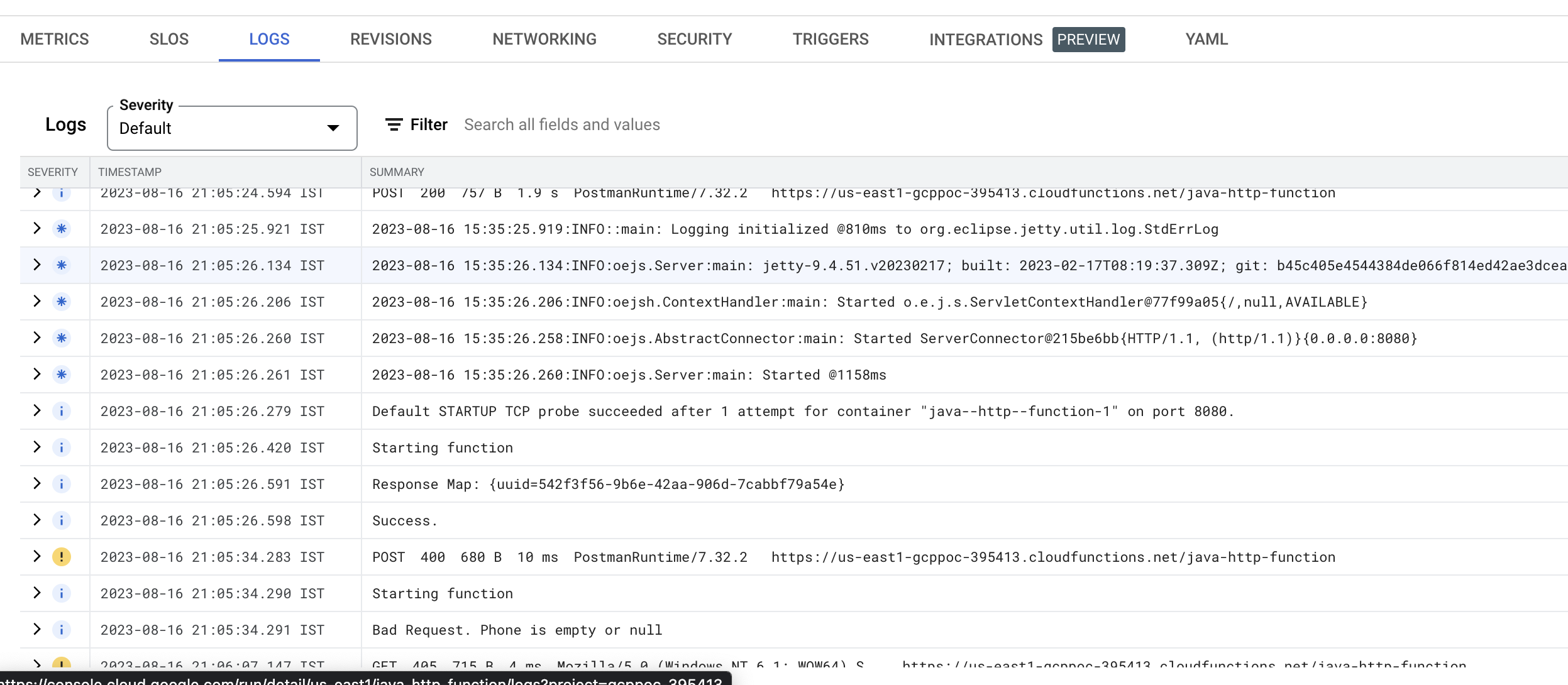
- To trace Logs
About the author
I'm an Integration developer with extensive knowledge on designing, developing & architecture integration solutions using MuleSoft,Workato,Celigo,Talend,Spring,Java
Comments
Join the discussionNo comments yet. Be the first to comment.